
Introduction
TDM offers license keys that can be activated directly from the Designer.
This allows you to decide when a license should become active — the activation date will be used as the start date of the license.
TDM provides separate license keys for both HTML5 and PC players.
This guide explains how to activate a license key in the TDM Designer.
Requirements
To activate a license key, you need:
-
Administrator access to the TDM Designer
How to Activate Your License Key
-
Log in to the Designer with an administrator account: https://designer.tdmsignage.com
-
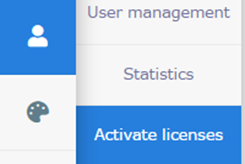
In the main menu, select Administration → Activate Licenses.
-
Enter your license code and select the license type (PC or HTML5).

-
Click Check License Code(s) to validate the license.

-
If the license code is valid, the Check License Code(s) button will change to Confirm.
Click Confirm to finalize the activation.
You have now successfully activated your license key. Your license is ready for use in TDM.