
Introduction
With TDM Digital Signage, you have the ability to shuffle the pages within your playlist. This means the pages will be displayed in a random order.
There are two available shuffle methods:
-
One is located within the playlist configuration.
-
The other can be found in the presentation configuration, allowing you to control the shuffle settings for all playlists within a presentation.
This guide explains how to enable the playlist shuffle feature.
Requirements
If you want to configure playlist shuffle, you need to meet the following requirements:
-
Have access to Content Creation > Playlists within the Designer.
How to Configure Playlist Shuffle
-
Log in to the Designer:
👉 https://designer.tdmsignage.com -
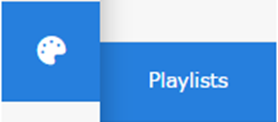
Select Content Creation, then choose Playlists.
-
Open the playlist where you want to enable Playlist Shuffle.
-
Scroll down until you see the Timeline section. Select the option called Shuffle pages.
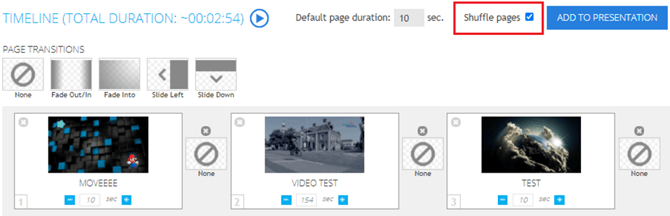
You have now successfully enabled playlist shuffle. All pages within the playlist will now play in random order.