
Introduction
With TDM Digital Signage, you can schedule different presentations to play at specific times and/or on specific days.
Unlike page or playlist scheduling, scheduled presentations override the default presentation assigned to a player.
You can even schedule presentations across different time zones, ensuring that a presentation set for 12 o’clock starts simultaneously at noon in every location around the world.
Requirements
If you want to schedule content, you need to meet the following requirements:
-
Have administrator access to the TDM Designer.
How to Schedule Content from the Designer
-
Log in to the Designer with an administrator account:
👉 https://designer.tdmsignage.com -
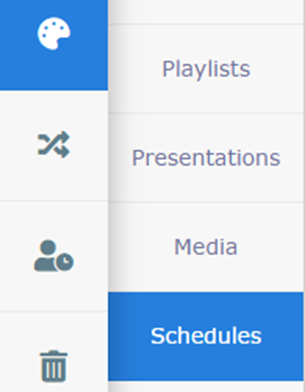
Open Content Creation, then select Schedules.
-
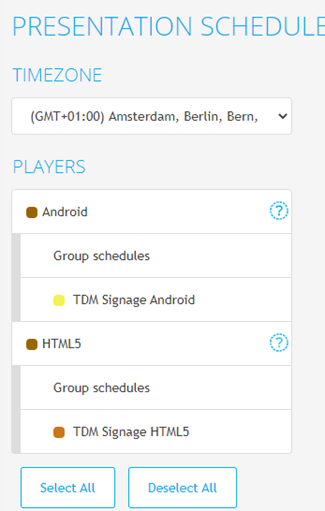
You will see an overview of all content currently scheduled for your devices. You can filter by a specific device or group to view only relevant schedules.
You can also switch between time zones to manage scheduling across global locations.
-
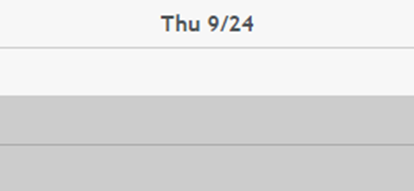
To create a new schedule, drag the desired timeframe or double-click anywhere on the calendar.
-
A new window will appear where you can configure your schedule. Fill in the following fields:
-
-
Start date/time
-
End date/time
-
Player or Group
-
Presentation
-
Once you have configured all the fields please select “Save”.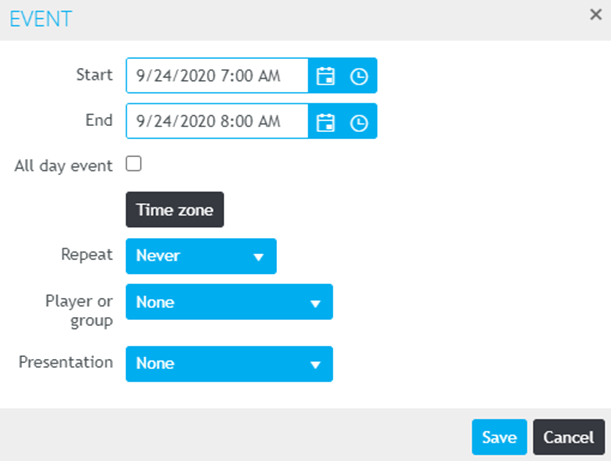
You have now successfully created a content schedule.
Repeat these steps if you want to schedule multiple presentations for your devices