Introduction
TDM is a cloud-based digital signage solution that can be fully managed and configured through your web browser. This manual is designed to help users install TDM on their computer or screen in a user-friendly way and learn how to publish content.
One of the available modules is TDM Spectator Statistics — an additional feature for audience and emotion measurement. This add-on works exclusively with the TDM Windows Player.
What Can You Do With TDM Spectator Statistics?
TDM Spectator Statistics enables you to collect audience insights such as gender, age, and emotional response through a webcam connected to your player.
You can see whether your content makes viewers happy, angry, or sad, and view detailed demographic data. The statistics are displayed in an easy-to-read dashboard within your TDM Designer, allowing you to evaluate the impact of your message at the display, page, or playlist level.
The TDM Statistics dashboard allows you to filter and review audience data over specific time periods.
This helps you tailor your content to ensure that the right message is displayed to the right audience at the right moment.
TDM Spectator Statistics works only with the TDM Signage Windows Player.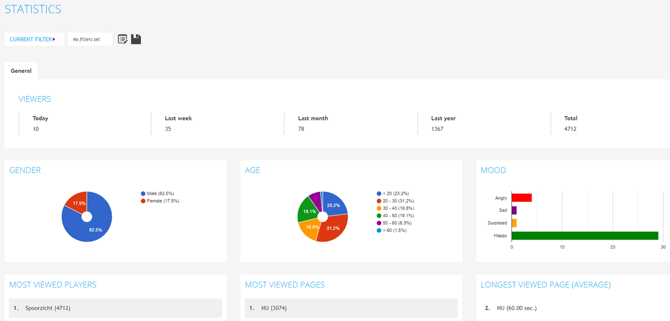
Requirements
If you want to enable Spectator Statistics, you need to meet the following requirements:
-
Have administrator access to the TDM Designer
-
Have an active TDM PC Player with a valid license
-
Have an active TDM Spectator License
-
Have access to the TDM PC Player
-
Have a webcam connected to your TDM PC Player
How To Set Up TDM Spectator Statistics
To use Spectator Statistics, you will need a PC Player and a webcam to collect audience data. The webcam must be connected to the PC, and the PC must have both the TDM Signage software and the Spectator Statistics Add-on installed.
-
Download the installer named “TDM Spectator Statistics Add-on Setup” from your TDM dashboard.
-
Install the software on the computer that is connected to your display and webcam, and that already has TDM Signage (PC Version) installed.
-
After installation, start the TDM Signage Player.
-
The player will automatically detect that the Spectator Statistics add-on is installed.
-
When the player is running, it will gather statistics in the background (when a webcam is connected).
-
Before statistics can be gathered, you must inform TDM which player will use the Spectator module. This allows the TDM team to enable the license for that specific player.
-2.png?width=670&height=423&name=mceclip0%20(1)-2.png)
Once the setup is complete:
-
The player will automatically push the gathered statistics to the Designer after a full presentation loop (i.e. once all pages in the playlists have been displayed and the presentation starts over).
-
The quality and accuracy of the collected data depend heavily on the quality of the webcam used.
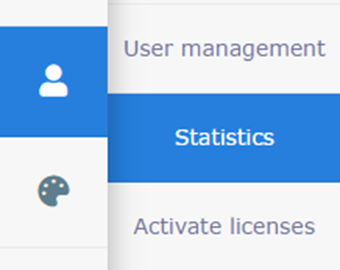
You can view the collected data in the Designer by navigating to:
Administration → Statistics