
Introduction
TDM5 allows you to make your presentation interactive by enabling touch functionality on elements.
This article explains how to configure touch on an element.
Requirements
To configure touch functionality, you need the following:
-
Access to Designer > Pages with permission to create or edit a page
-
A touch-enabled device
How to configure touch on an element
-
Log in to your TDM5 environment.
-
Select Designer.

-
Open the menu option Pages.

-
Open an existing page by selecting Edit

or create a new page using the Add new page button.
-
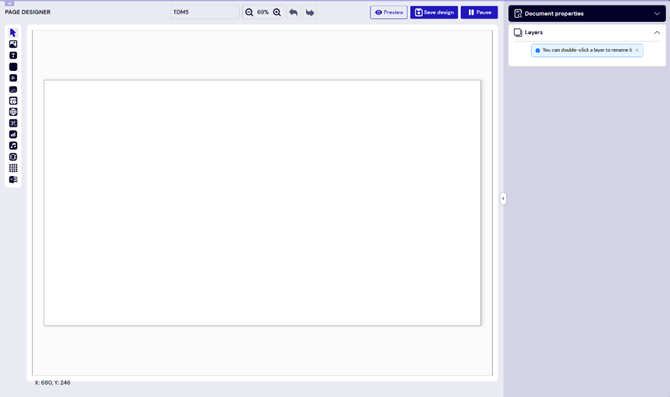
You will be taken to the content editor, where you can design your page.
-
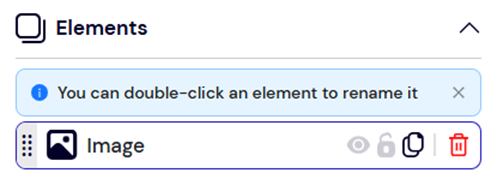
Add a new element or edit an existing one.
-
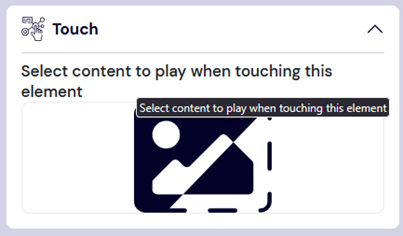
In the menu on the right, expand the Touch submenu.
-
Select the content to play by clicking the placeholder image. The content can be another Page, Media (e.g., a video), or an entirely new Playlist.
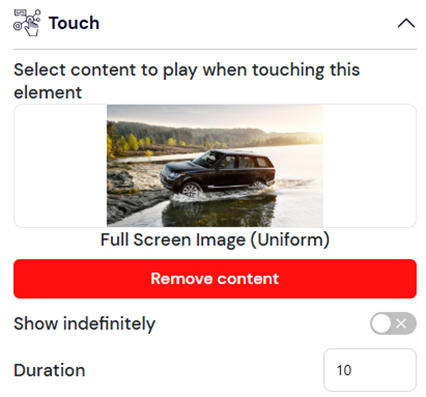
Set how long the content should be displayed after being touched. This can be for a specific duration or indefinitely.
For interactive content (e.g., a web page), the display will not revert back as long as there is user activity.
For example, if the duration is set to 10 seconds, there must be no interaction for 10 seconds before reverting to the original content.
Once the selected page, media, or playlist finishes playing, the screen will return to the previous content.
Keep in mind that a TDM5 presentation can contain multiple layers. To ensure touch works correctly, no other element should overlap the element configured for touch.
You have now successfully configured touch functionality in your design. This can be applied to multiple elements across different pages to create a fully interactive presentation.