
Introduction
TDM5 allows you to add external data sources. With these data sources, you can display real-time information within your presentations.
This article explains how to set up a Facebook data source.
Requirements
To set up a Facebook data source, you need the following:
-
Administrator access to your TDM5 environment
-
All required information for the Facebook account you want to add
How to set up a Facebook data source
-
Log in to your TDM5 environment using an administrator account.
-
Select Interactions.
-
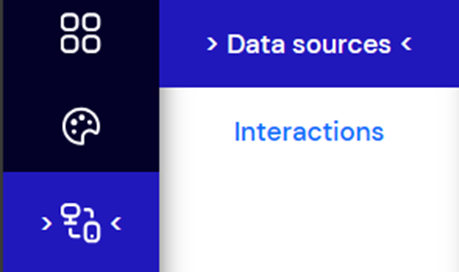
Select the menu option Data sources.
-
Select Facebook and click Create new on the right to create a new data source.

-
Enter a name for your Facebook data source and open the Connection dropdown menu.
-
Click Add a new Facebook connection. This will redirect you to the Facebook login page. Log in with the account you want to link to TDM5.
-
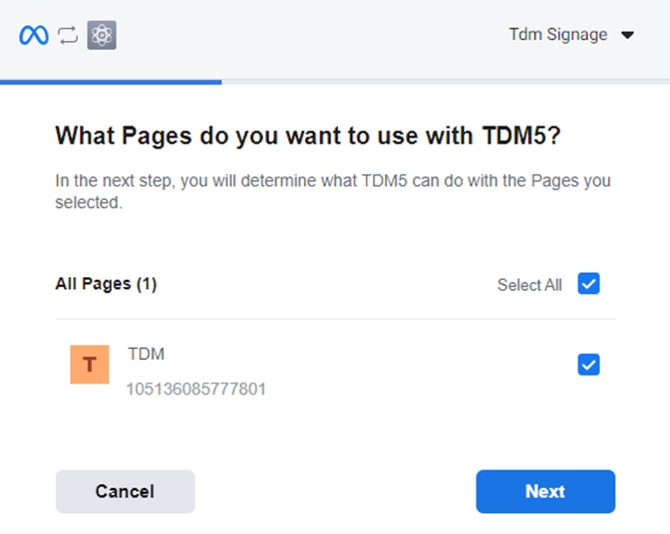
A window will open where you can select the Facebook pages you want to link with TDM5. If you don’t have any pages yet, you will be given the option to create one.
-
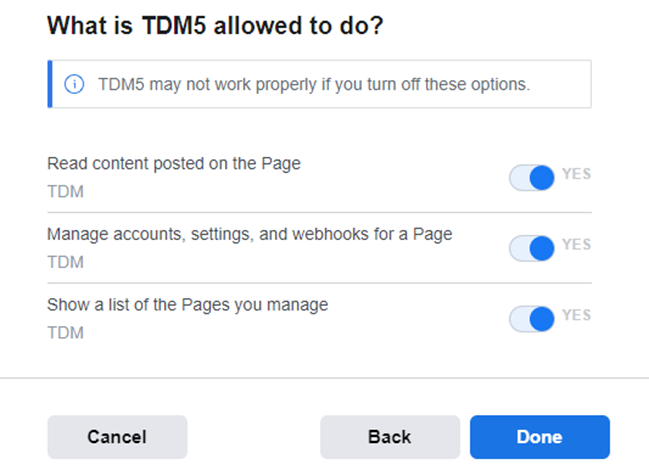
Enable the required permissions for TDM5 to read data from your page, then click Done:
-
Read content posted on the Page: Allows TDM Signage to read posts on your page.
-
Manage accounts, settings, and webhooks for a Page: Allows TDM Signage to read and manage user content posted on your page.
-
Show a list of the Pages you manage: Allows TDM Signage to display all pages linked with your account.
-
-
Once permissions are set, click OK. You will be redirected back to TDM5.
.png?width=614&height=345&name=mceclip5%20(1).png)
-
Your linked Facebook account will now be visible in TDM5 under data sources. Select the account, then choose the page you want to link from the new Content option.
.png?width=584&height=541&name=mceclip6%20(1).png)
-
A preview of your data source will appear on the right side of the page. Use the arrows to browse posts from your Facebook page.
.png?width=470&height=605&name=mceclip7%20(1).png)
You have now successfully created a Facebook data source, which can be used in your designs.
For more information on using external data sources, see our guide: TDM5 - How to link a data source to an element.