
Introduction
TDM5 offers the ability to add external data sources. With these data sources TDM5 offers the ability to display real-time information within your presentation.
This manual will explain how an Microsoft365 data source can be setup.
Requirements
If you want to set up an Microsoft365 external data source, you need to meet the following requirements:
-
Administrator access to your TDM5 environment
-
All required information about the external data source you want to add
How to set up a Microsoft365 data source
-
Log in to your TDM5 environment using an administrator account.
-
Select Interactions.
-
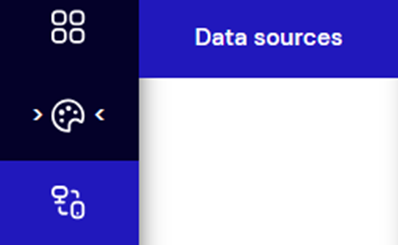
Select the menu option Data sources.
-
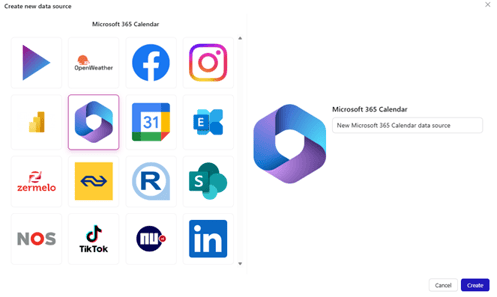
Choose Microsoft365 Calendar, fill out a name and press the Create button to the right to create a new data source.
-
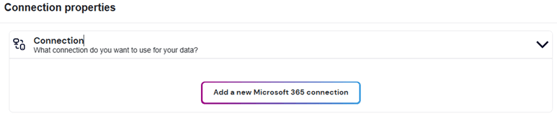
Select ‘Connection’, now a button will be shown named ‘Add a new Microsoft 365 connection’. Press this button.
- You will be redirected to Microsoft365, in case you are logged in already the connection will automatically be made. If not, you will be asked to login to your Microsoft365 account.
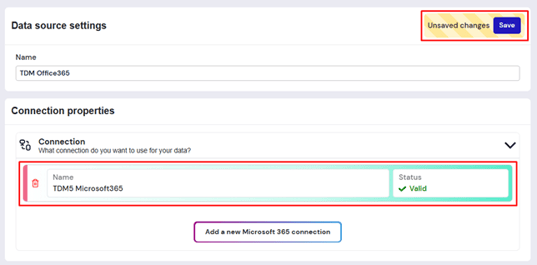
- Once finished a connection will be shown, press the connection and then ‘Save’ to continue the process.
-
A new option called Content will appear. In this dropdown, you can select whether to use a Calendar or a Room Resource for the data source. Additionally, you can specify the number of days for which TDM5 should retrieve meetings.
-
Select Calendar if you want to link a calendar.

-
Select Room if you want to link a room resource and enter the email address of the room.

-
-
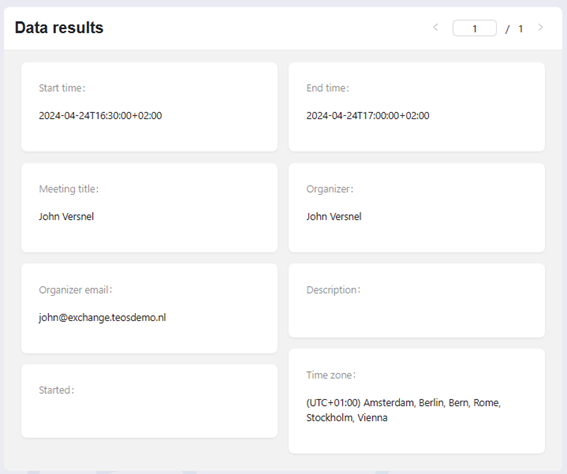
On the right side of the page, you’ll see a preview of your data source. Use the arrows to browse through all meetings for the day.
You have successfully created a Microsoft365 data source. It can now be used within your design.