
Introduction
TDM5 allows you to create your own designs using your media files, such as logos and other company assets. There are several ways to access your media files: the built-in TDM5 storage, OneDrive, Dropbox, and Google Drive.
This article explains how to upload media to the built-in TDM5 storage.
Requirements
To upload media to your TDM5 built-in storage, you need the following:
-
Access to Designer > Media
-
An upload limit of 1 GB per file
How to upload media to the TDM5 storage
-
Log in to your TDM5 environment.
-
Select Designer.

-
Open the menu option Media.

-
In the media library, select Upload in the top-right corner.
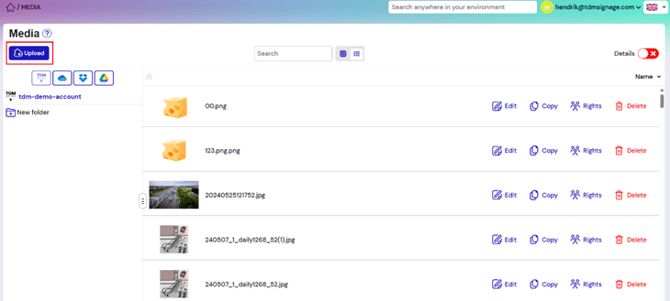
-
A file explorer will open. Select the files you want to upload to TDM5. You can select multiple files at once to upload them together.
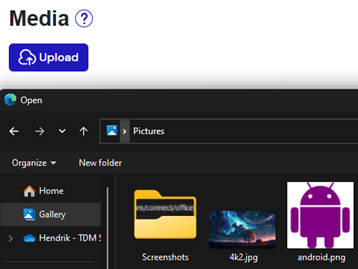
Once the upload is complete, the files will appear in the media library.
Repeat these steps to upload additional media files.
You have now successfully uploaded media to the built-in TDM5 storage.